TRIZ · DFSS · Structured AI
Run the method.
Keep the work.
Innogator is a workspace for TRIZ and Design for Six Sigma. Pick a method and the assistant facilitates it the way the method is actually taught — then leaves behind a typed artefact that stays in the project and feeds every conversation after it.
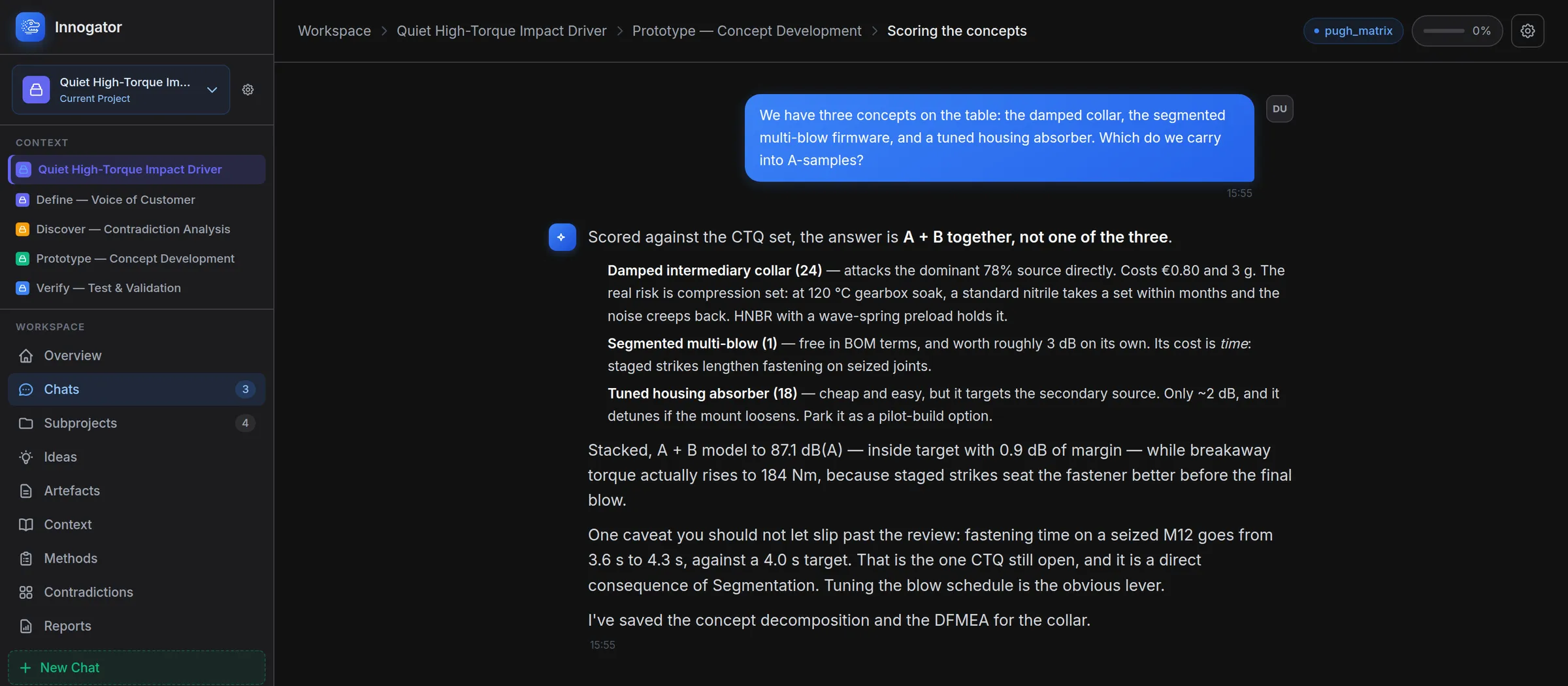
How the Work Is Shaped
Four nouns. Everything in Innogator is one of them.
- 01
Project
One challenge, scoped once. Its description, industry and methodology are read into every reply, so you stop restating the brief.
- 02
Subproject
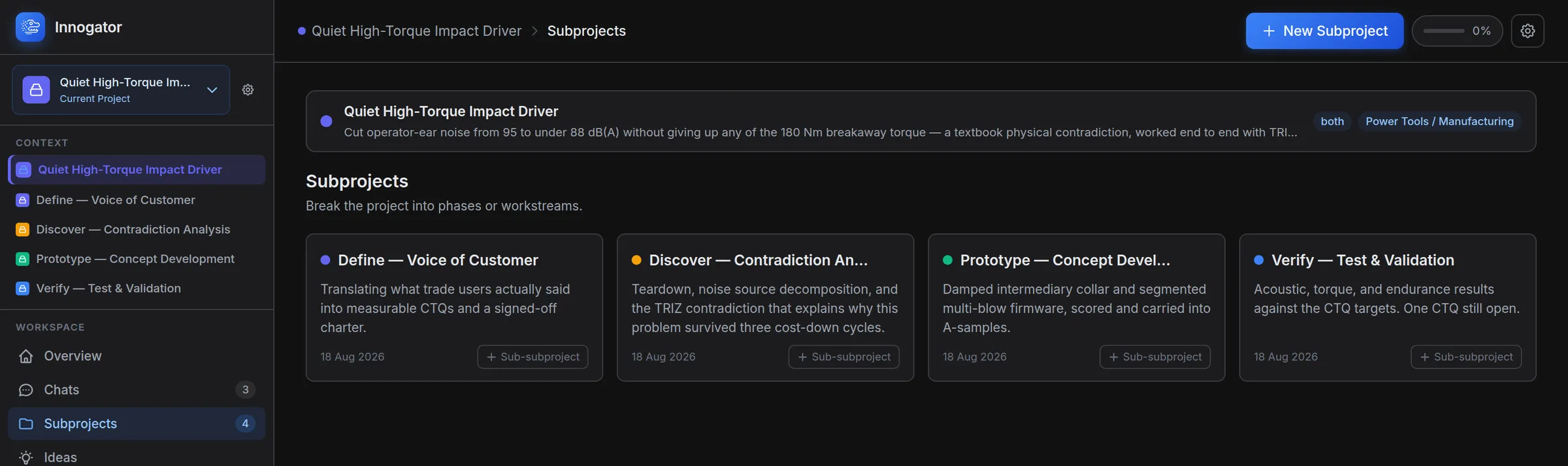
Phases or workstreams, nestable as deep as the work needs. The worked example runs Define, Discover, Prototype and Verify.
- 03
Chat
Where a method actually runs. The assistant already knows the project, the subproject and every artefact produced so far.
- 04
Artefact
The output, typed and named. Tables stay tables, diagrams stay diagrams, and all of it stays editable.
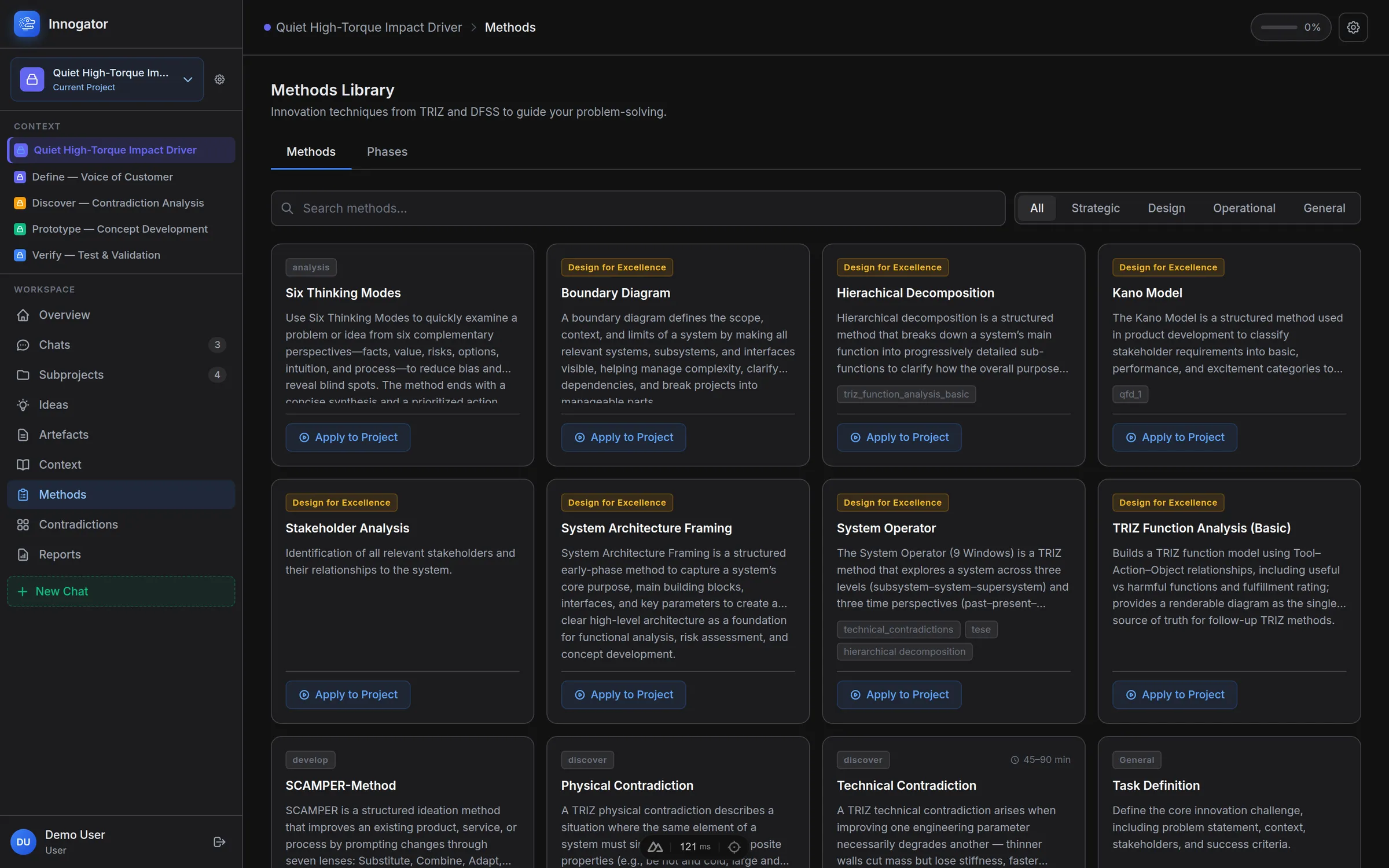
Method library
A Method Library, Not a Prompt Box
Every method carries its own facilitation script: which questions to ask, in what order, and which artefact it has to end in. Apply one to a project and the chat opens already in role — no prompt engineering, no reminding it what a contradiction is.
A method is a record, not a hard-coded screen — a name, a facilitation prompt and the outputs it must produce. The library grows without a release.
- TRIZ Function Analysis
- Technical Contradiction
- Physical Contradiction
- System Operator (9 Windows)
- Hierarchical Decomposition
- Boundary Diagram
- System Architecture Framing
- SCAMPER
- TILMAG
- SIPOC
- Kano Model
- Empathy Map
- Jobs To Be Done
- Stakeholder Analysis
- Main Parameter of Value
- Value Parameter Elicitation
- Six Thinking Modes
- 5W2H
- Task Definition
Contradictions
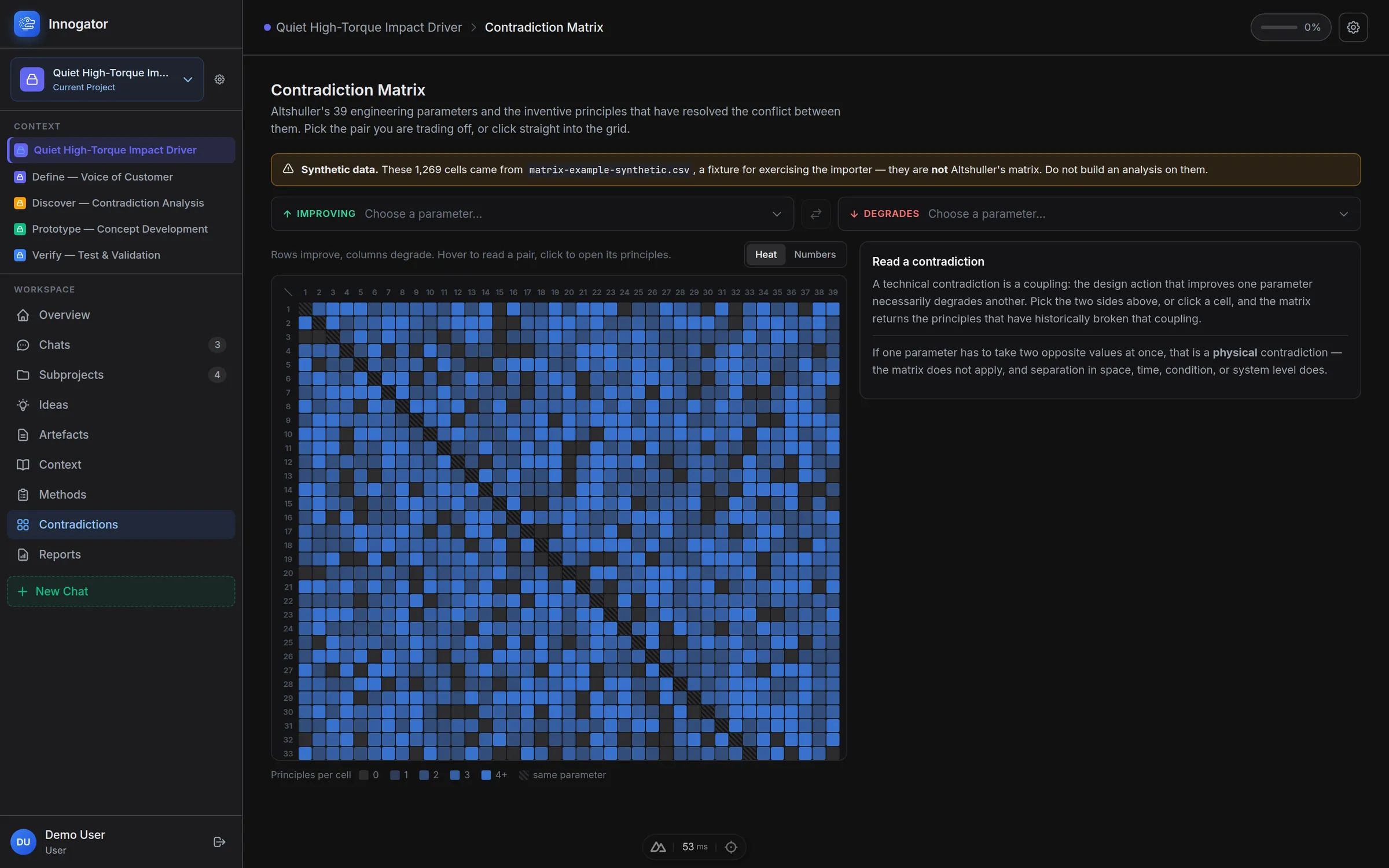
The Contradiction Matrix, Wired In
Altshuller's 39 engineering parameters as a grid you can read and click. Choose what improves and what degrades; the cell returns the inventive principles that have broken that coupling before.
When the matrix doesn't apply — when one parameter has to take two opposite values at once — the app says so, and points you at separation in space, time, condition or system level instead.
The grid reads from an imported CSV. If it's running on fixture data rather than the real matrix, it tells you in a banner before you build anything on it.
Artefacts
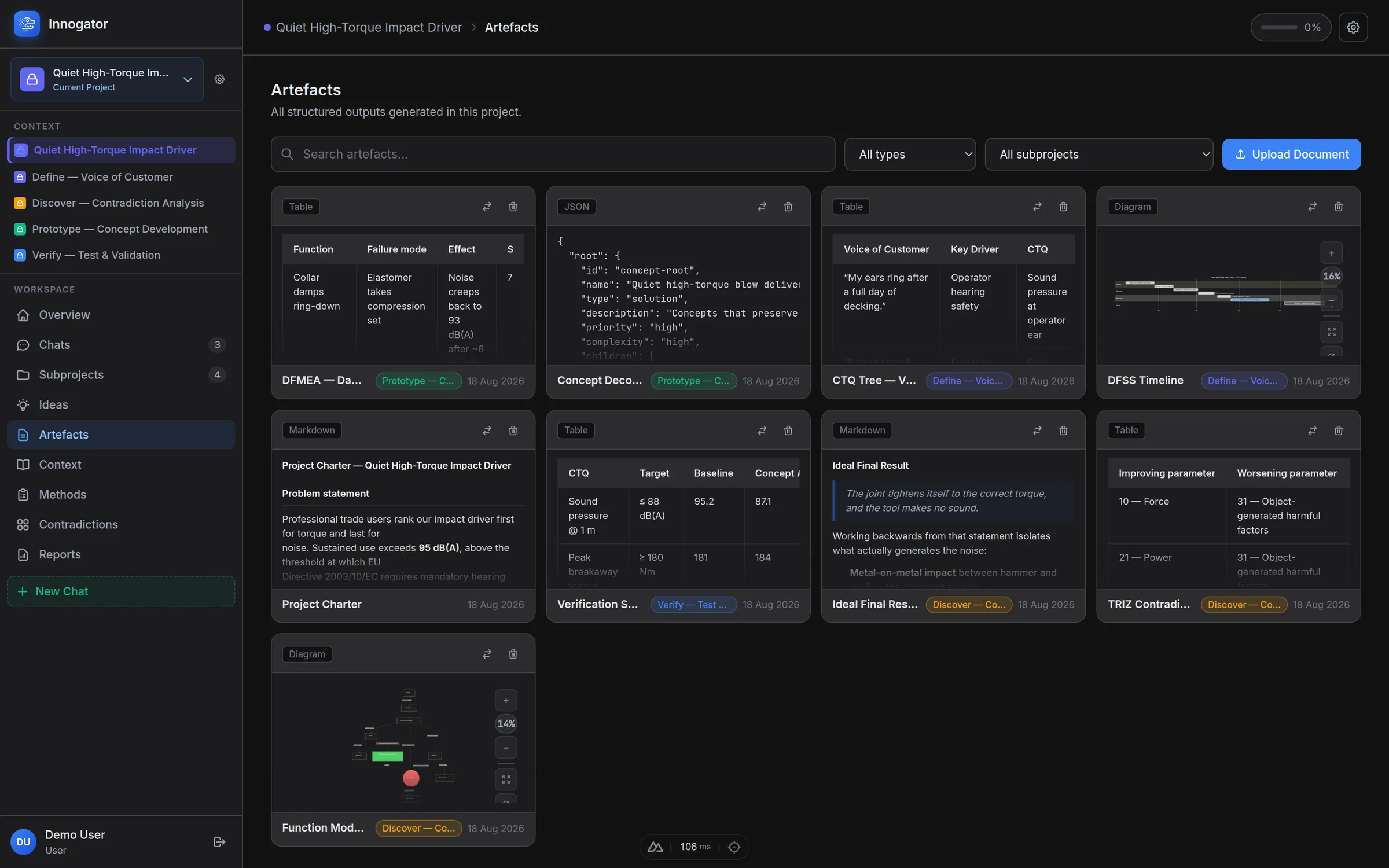
Typed Outputs, Not Chat Scrollback
Every method ends in something named and structured: tables, markdown, JSON trees, editable graphs, images, uploaded documents and runnable Python. Search them, filter by type or subproject, and edit any of them in place long after the conversation is closed.
Drop in a PDF, Word, PowerPoint or Excel file and its text joins the project. Python artefacts execute in your browser — the assistant writes the calculation, you press Run and read the output.
Context
It Reads the Project, Not Just the Thread
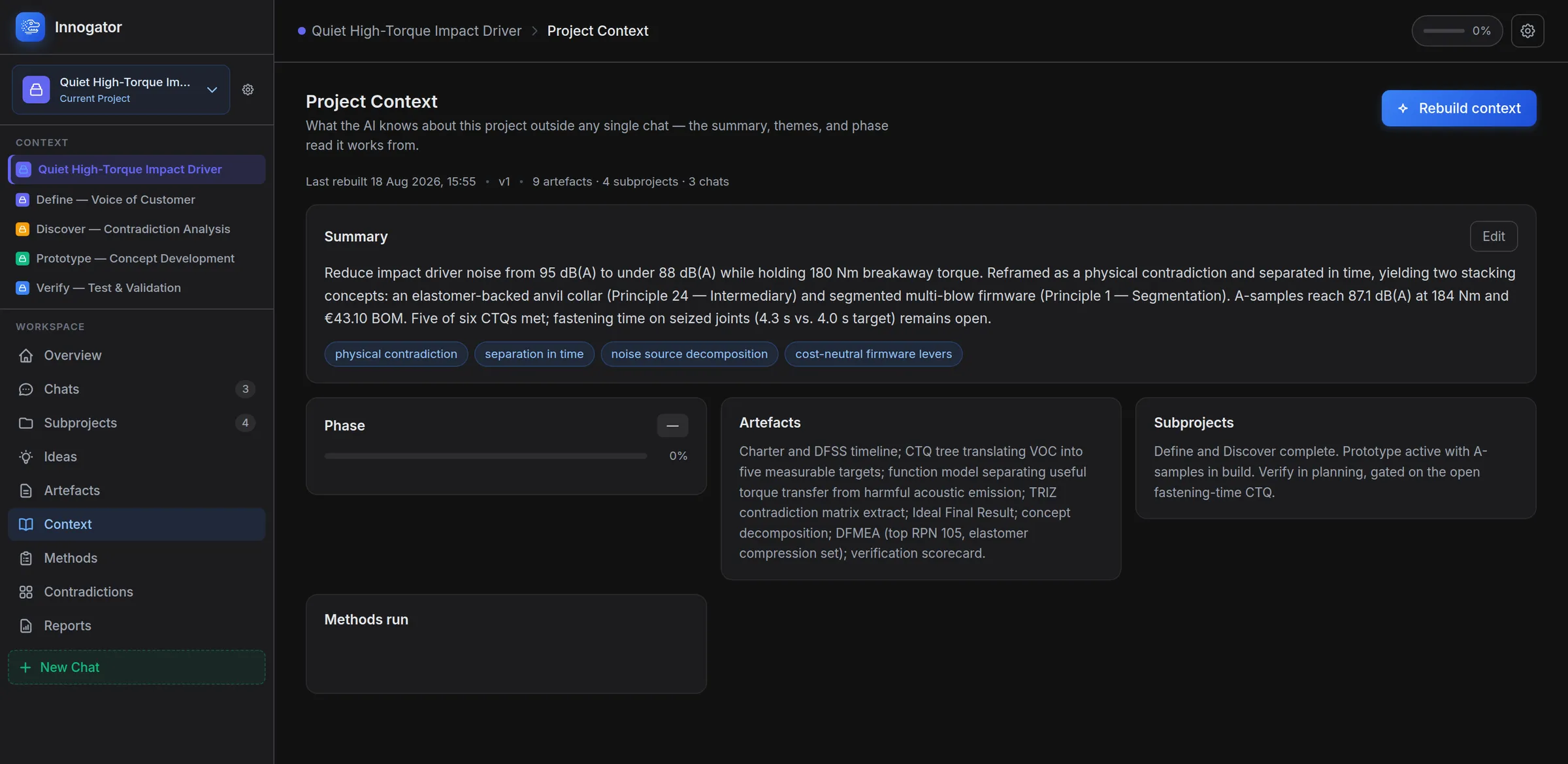
Innogator keeps a project context — a summary, the recurring themes, a phase read, what each subproject has settled and what is still open — rebuilt from the artefacts and chats on demand. Every new conversation starts from it.
That is the whole difference from a general chat window. You stop restating the brief, and the assistant can tell you which requirement is still failing without being told the project twice.
Monte Carlo
The decomposition is the model
Put numbers on the diagram you already drew, and it rolls up.
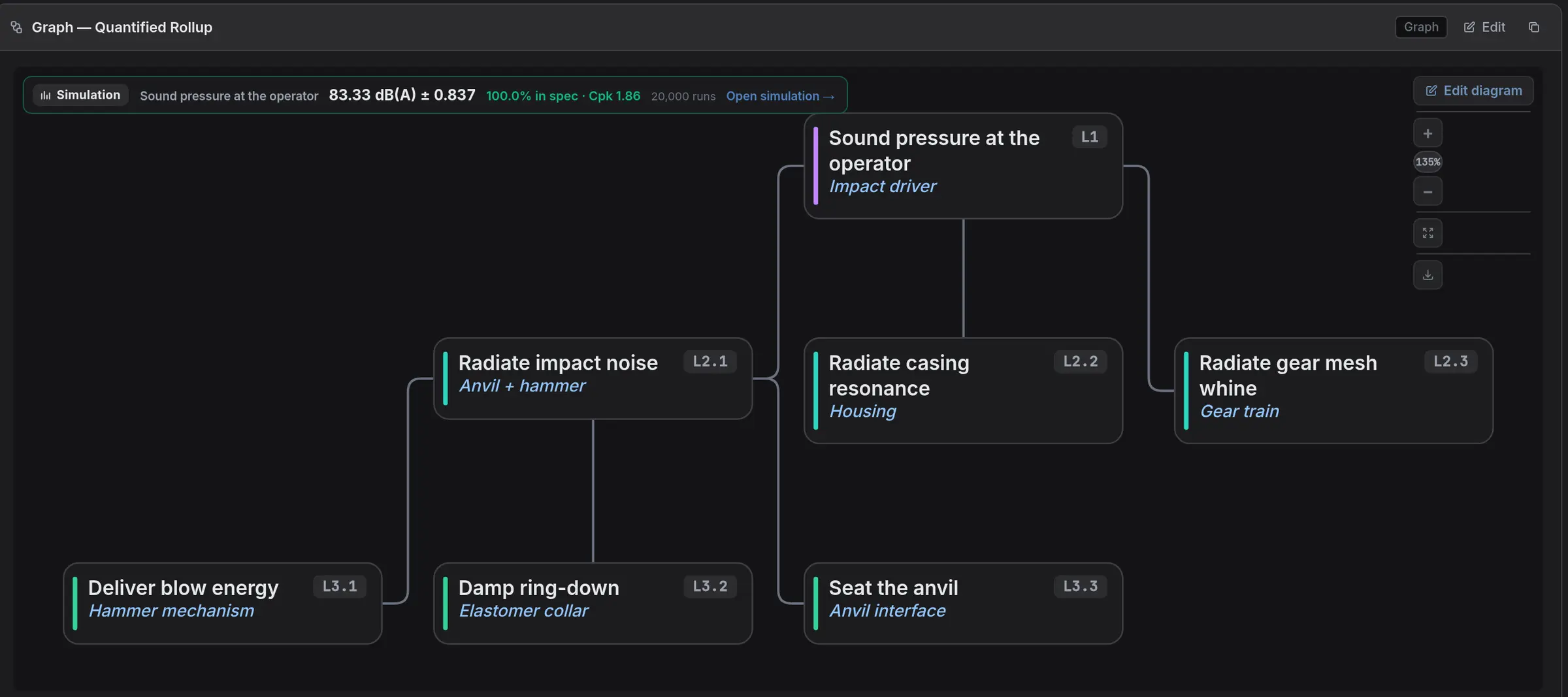
A function decomposition already says which quantities feed which. Give the cards at the bottom a distribution and the ones above them a combining rule, and the same document becomes a Monte Carlo model — nothing is re-entered into a second tool, and the tree and the maths cannot drift apart.
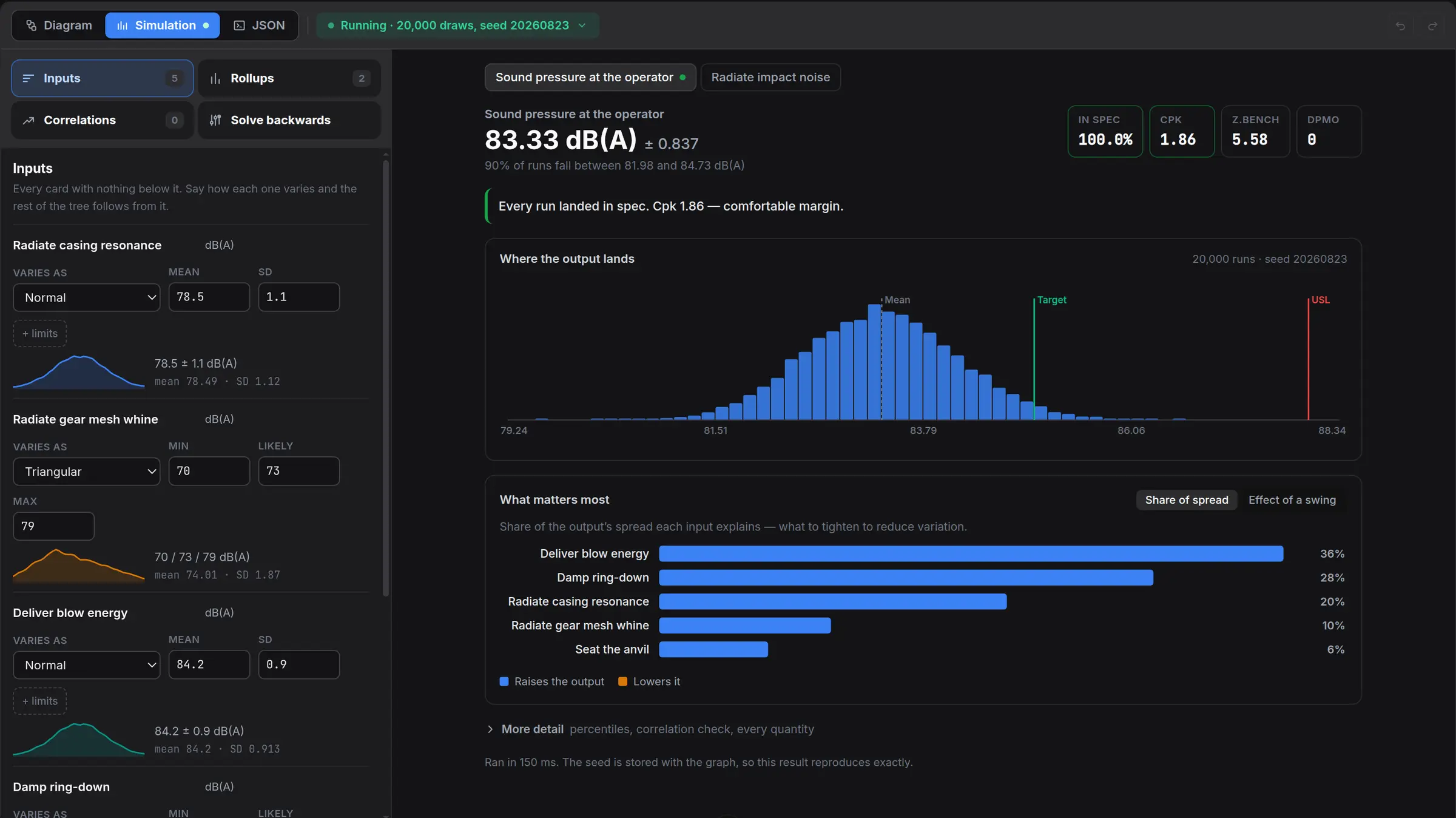
The report is the one an engineer would ask for: where the output lands, how much of its spread each input explains, and what the capability actually is. Nothing is assumed on your behalf — an input with no stated distribution is named as missing rather than quietly treated as zero, because a confident wrong Cpk is worse than no Cpk.
Fifteen distributions
Normal, triangular, PERT, lognormal, Weibull, gamma, beta, Poisson, binomial — or resample your own measured values with no distribution assumed at all.
Correlated inputs
Two features cut on the same machine are not independent, and assuming they are is the usual reason a simulation understates the tail. State the rank correlation and the tail widens the way it really does.
Where the spread comes from
Two rankings, because they disagree usefully: the share of variation each input explains, and what happens to the output when one input alone moves from its P10 to its P90.
Solve backwards
Instead of asking what this design gives, ask what it would take. The solver searches one tolerance — or every tolerance at once — until the capability target is met, and reports the value.
Reproducible
The seed is stored with the graph, so the same model always gives the same answer and a reviewer can check the number rather than take it on trust.
It reads out as DFSS
Yield in spec, Cp, Cpk, Z.bench and DPMO against the specification limits you put on the top card.
Worked example
See It on a Real Problem
One click seeds a finished project into an empty workspace: cut operator-ear noise on an impact driver from 95 to under 88 dB(A) without giving up any of the 180 Nm breakaway torque.
Reframed as a physical contradiction and separated in time, it lands on two inventive principles — an elastomer-backed anvil collar (Intermediary) and segmented multi-blow firmware (Segmentation). A-samples measure 87.1 dB(A) at 184 Nm for €43.10 of bill of materials.
Five of six requirements pass. Fastening time on a seized joint comes in at 4.3 s against a 4.0 s target, and the project says so rather than rounding it away. Real projects end with something still open.
- 4subprojects, Define to Verify
- 9artefacts, all editable
- 3worked chats
- 0tokens to seed it
Start With the Worked Example
Create an account, seed the impact-driver project, and read a finished TRIZ + DFSS trace before you point any of it at your own problem.
Create an accountConfirming your email switches the AI on. Everything else works straight away.